
ciSUITE: is a versatile system that can be used as a Content Management System (CMS) for websites and can also serve as a Command-and-Control platform for rapidly deploying data-driven mobile apps for business.
It is perfect for businesses who need to rapidly deploy data-driven apps to manage client services and internal/external business processes.
ciSUITE: is easy to use and scalable, making it a great solution for businesses of all sizes and types.
We setup, host & monitor your website and emails on our high-speed, Australian-based servers
Our ciCART: module is a powerful solution that includes credit card processing, Afterpay, zipPay, Apple Pay, and PayPal options.
We're here if you need a hand ... and you know we care because we are a local Aussie business too
Far more secure than Open-Source solutions like WordPress, Joomla!, or Magento.

ciSUITE: is what you may have heard referred to as a "Content Management System" (or CMS for short) and it offers everything you need to be able to manage your website content without paying by-the-hour for a web designer to do it for you.
We believe that a world-class CMS such as ciSUITE: should be completely intuitive to use and should get out of the way of you getting your message to the world.
We still set up your entire site for you, including custom design and functionality specific to your business needs - and then you take over looking after making changes to the text, pictures, products etc.
We even help you make decisions on which parts of your site you are going to want to change regularly, and then make that even simpler for you.
It's so simple that anyone can use it ... you can fill in the "Contact Us" form on this site, you can use ciSUITE: to manage the content of your mobile app or website.
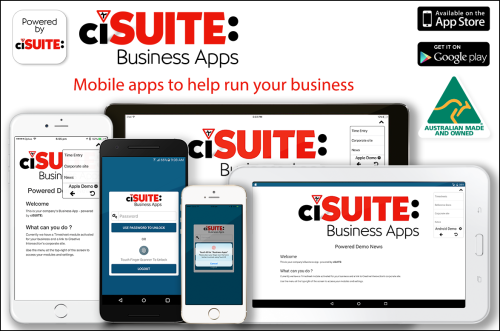
Use our own branded app for fast, low-cost deployment
ciSUITE: is the ideal platform for managing data whose end-point is a mobile app.
Using our own branded "Business Apps powered by ciSUITE:" mobile apps available for iOS and Android, we can deploy simple, pre-rolled modules at a low cost of just cents per day per user for small businesses on a budget.
For example, businesses can deliver company news and safety manuals to their staff and receive timesheets with geo-location details and timestamps ... and can update the news, manuals, and user details; and can export timesheet data to payroll systems using our ciSUITE: Administration system.
... or we can provide a custom-designed deployment that integrates with backend systems such as security systems, vehicle tracking, POS systems, or any other data source you care to mention.
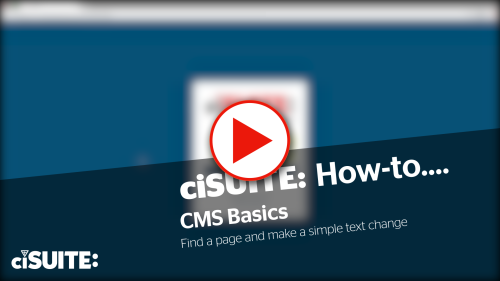
Video: How to find a page and make a simple text change via ciSUITE:
Changing the content of your site, shop or app doesn't get much simpler than when you're using ciSUITE:
The hardest part is knowing what you want to say.
After that, it'll just take a few seconds for you to create a new page or update an existing one.
To update your content, you just sign in to your Administration account and answer the prompts for each page that you want to change, add, or delete. The same goes for products if you have an online shop, and for any custom data in your mobile app (for example your staff accounts to let them log in to enter their daily timesheets).
Check out our example video to see how easy managing your own content can be.